The Short Answer: Your Resin Maker Sets The Clock
There is no single "cure for X minutes" rule that fits every resin. Formlabs notes that post-curing is optional for its standard resins but required for other materials to reach their optimal mechanical properties, and that each material needs its own curing time. Your job is to turn three inputs into one number: the resin's own instruction sheet, the size and geometry of the miniature, and the cure device you own.
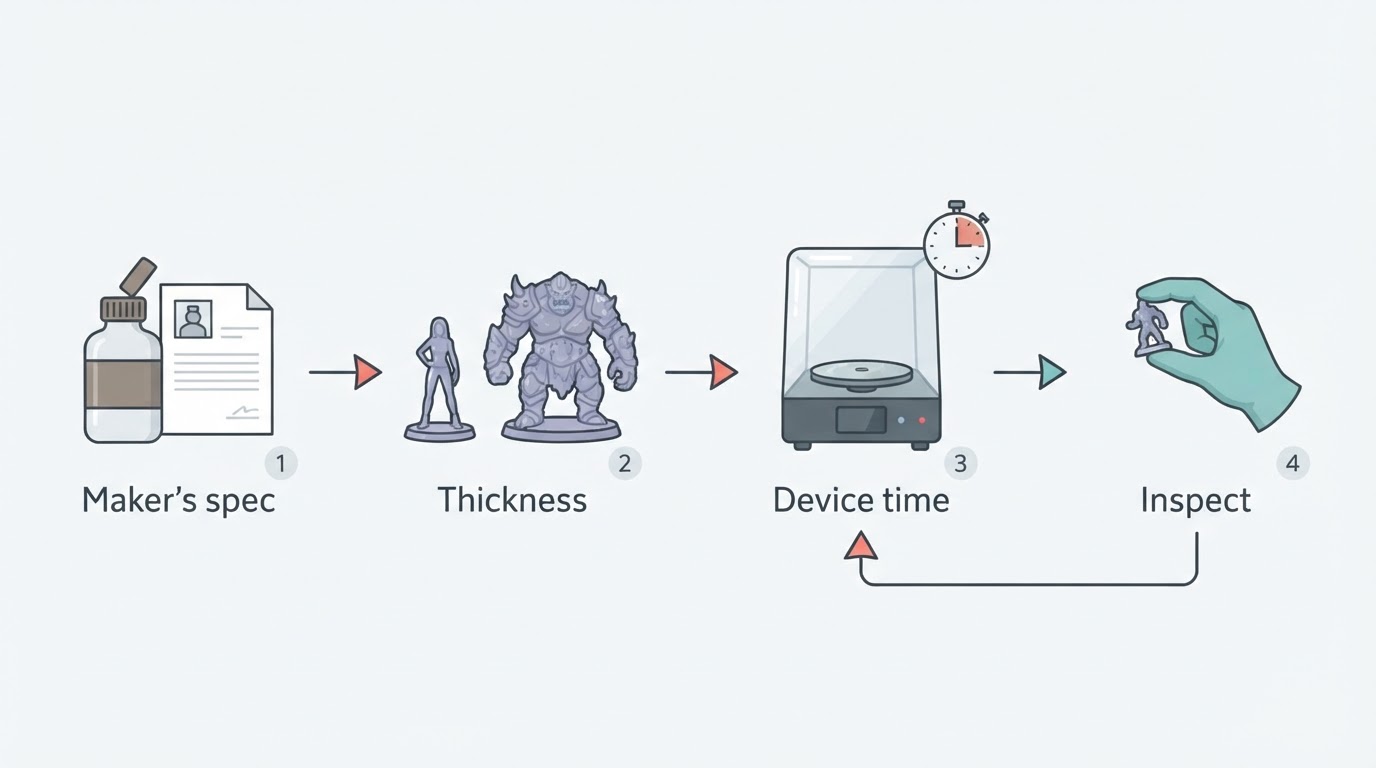
As an example tied to one device, Elegoo's guide for its Mercury X station recommends about 2 minutes for a model under 30 mm in diameter, with more time for complex surfaces. That is a Mercury X starting point, not a cure time to copy to another resin or lamp. A miniature described as "28 mm scale" is not necessarily under 30 mm in overall diameter.
What Actually Changes Cure Time On A Miniature
Thickness and mass. Formlabs advises increasing the post-curing time for thick, bulky parts because they are slower to heat to the proper temperature. Thin arms, weapons and capes catch up quickly; a solid torso, a dense cloak or a chunky scenic base is the slow part of the model.
Translucency and color. Clear and pale parts let UV pass deeper into the print, while dark, opaque and highly detailed areas need more attention. Transparent parts also show light damage first: Elegoo notes that over-curing leads to a yellowish model and recommends reducing the cure time if the print turns yellow.
Wavelength, intensity and distance. Check that your cure device's wavelength matches the resin maker's requirements. Elegoo's Mercury X uses 405 nm LEDs with a rotating turntable. A weaker handheld lamp, a different wavelength or a part sitting farther from the emitters can receive a different UV dose in the same number of minutes, so a time copied from someone else's setup is not a reliable starting point.
Shadowing and rotation. Underhangs, deep recesses and the face pointing away from the lamp receive less light. Rotate the part, or use a turntable, and check the underside and the inside of hollows as carefully as the front.
Miniature Curing Time Decision Table
Your part | Starting point | Next check |
|---|---|---|
Small infantry miniature with thin limbs | Follow the exact resin and cure-device instructions; Mercury X lists about 2 minutes only for models under 30 mm overall diameter | Confirm even exposure and the maker's completion criteria; appearance alone cannot prove a full cure |
Large monster, thick torso or solid base | Longer than the small-figure time, because thick bulky parts need more time (Formlabs) | Check every face, including the underside |
Clear or transparent resin | Follow the resin maker's spec for that exact resin | Watch for yellowing; reduce the time if the part discolors (Elegoo) |
Water-washable resin | Wash in a separate container according to the resin maker; capture the contaminated water rather than rinsing it into a drain | Dry fully, cure to the maker's specification, and dispose of wash water under local rules |
Wash And Dry Before The Lamp
Curing is the last step, not the first. Formlabs says to always let prints dry fully before post-curing or post-processing, and to allow at least 30 minutes after an isopropyl alcohol wash so the solvent can evaporate, with appropriate ventilation while it does. Elegoo tells users to clean and blow-dry a model before it goes into the machine. A part that is still wet with solvent is a variable that no timer can settle.
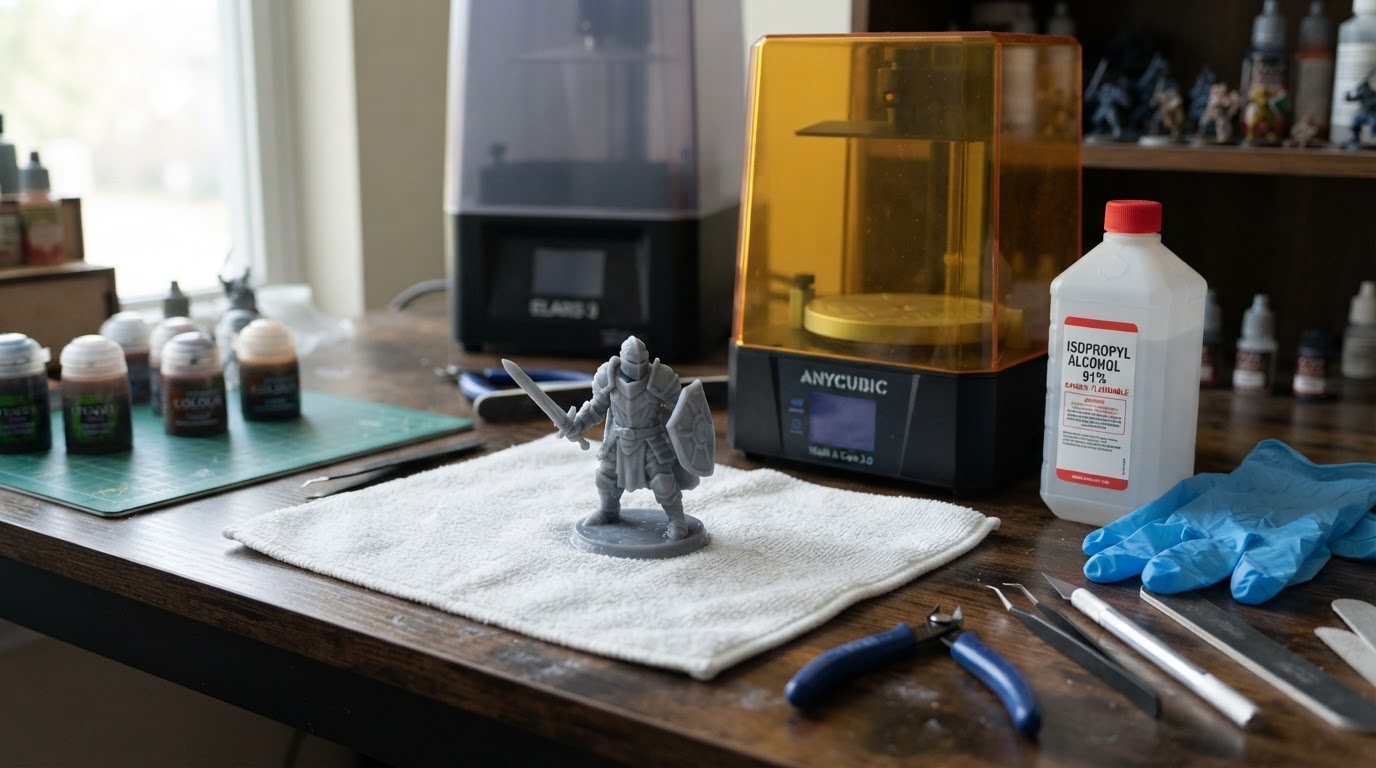
A small-batch order that keeps variables under control:
- Wash the print in isopropyl alcohol or the cleaner your resin maker recommends.
- Let it dry completely — at least 30 minutes after alcohol, longer if recesses still look wet.
- Set the cure device to the maker's time for your resin and part size.
- Cure with even exposure and the UV cover in place.
- Inspect every face and compare the result with the resin maker's post-cure criteria; do not infer full cure from touch or appearance alone.
- Remove supports at the stage recommended for your exact resin and printer workflow.
Formlabs recommends removing supports after post-curing because unsupported parts can warp under light and heat; check the order your own printer and resin maker specify.
PPE, Ventilation And Waste
- Wear nitrile gloves and eye protection when handling uncured resin and when clipping supports; Formlabs warns that support removal can throw small pieces of debris.
- Ventilate the room while solvent evaporates — Formlabs calls for appropriate ventilation during drying.
- Keep uncured resin, contaminated solvent and water-washable-resin rinse water out of household drains. Follow your resin maker's safety data sheet and local disposal rules; Formlabs' disposal guidance explicitly warns against pouring resin-contaminated liquids into drains.
- Keep the cover on while curing. Elegoo's cover blocks up to 99.9% of UV and its safety switch turns the lights off when the cover is removed.
When To Stop Adding Time
Touch or a matte appearance alone does not prove a miniature is fully cured. Use the resin maker's validated time and temperature instructions for the compatible cure device; visually check for missed, shadowed areas, but do not replace the specification with a touch test.
Over-curing has costs. Elegoo points to yellowing; flexible and clear materials can also lose the properties that made them worth buying. Formlabs treats over-curing as acceptable unless its material documentation says otherwise, but that applies to its own resins — not as license to leave miniatures under the lamp every session.
FAQs
How long should I cure a 28 mm resin miniature? Start with the resin maker's recommendation and the compatible cure-device guide. Elegoo's roughly 2-minute recommendation applies to its Mercury X and models under 30 mm in overall diameter, not all 28 mm-scale miniatures or all 405 nm stations.
Can I cure resin miniatures in sunlight? Sunlight contains UV and will eventually cure resin — Formlabs notes that liquid resin cures in ambient light — but you cannot set a repeatable time in the sun the way you can with a lamp. Direct sunlight is uneven and weather-dependent, so treat it as a fallback rather than a process.
What happens if I over-cure a miniature? Yellowing is the most visible result; Elegoo says to reduce the cure time if a model becomes yellow. Flexible and transparent resins may also lose their intended flexibility or clarity, so cure to the maker's spec and extend only when inspection shows genuine under-cure.
For the printing stage before washing and curing, see this site's separate 3D-printing miniatures guide.